A guide to creating rules-based redirect patterns with Easy Redirects
What are Redirect Patterns?
Redirect patterns let you use a special symbol, the asterisk (*), and catch multiple URLs at once. Instead of creating one redirect per product or per page, you can redirect entire collections, sections, or groups of URLs with just one rule.
Think of the * as a “wildcard” that can stand in for any product, collection, or text in a URL.
How do they work?
Let’s break it down with examples:
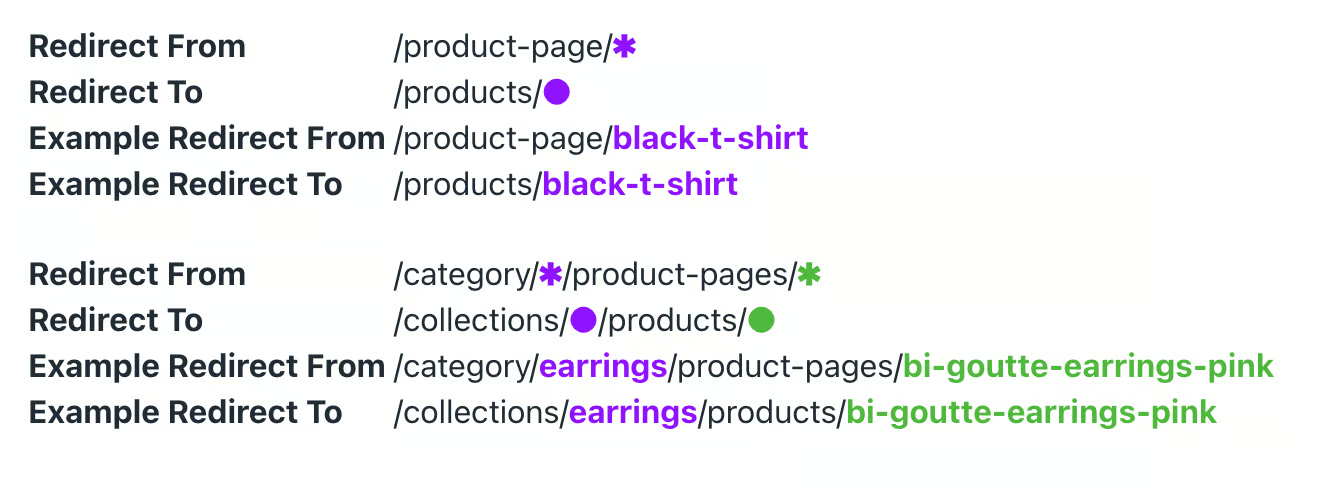
If someone visits an old product link on your store that no longer exists, the * helps match that product and sends the visitor to the new version of the same product page, all using a single redirect pattern.
You can also use more than one * in a pattern.
The app will automatically color-match the tokens so you can clearly see which wildcard connects to which part of the target URL.
To sum it up:
Wildcard in → Wildcard out.
Whatever the * picks up from the old link, gets placed into the new link.
How to create a Redirect Pattern?
Follow the steps below in order to create your first Redirect Pattern:
1. Open the app, and go to the Redirect Patterns page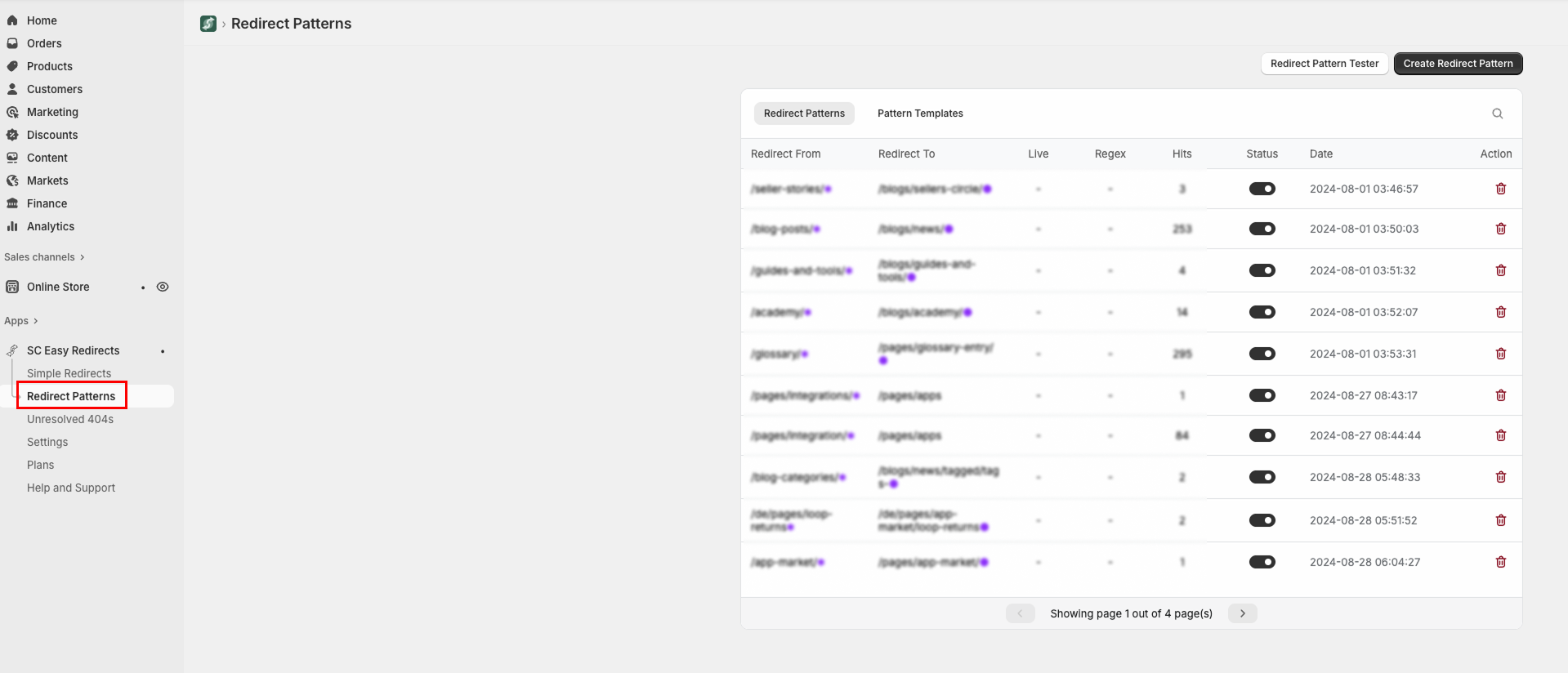
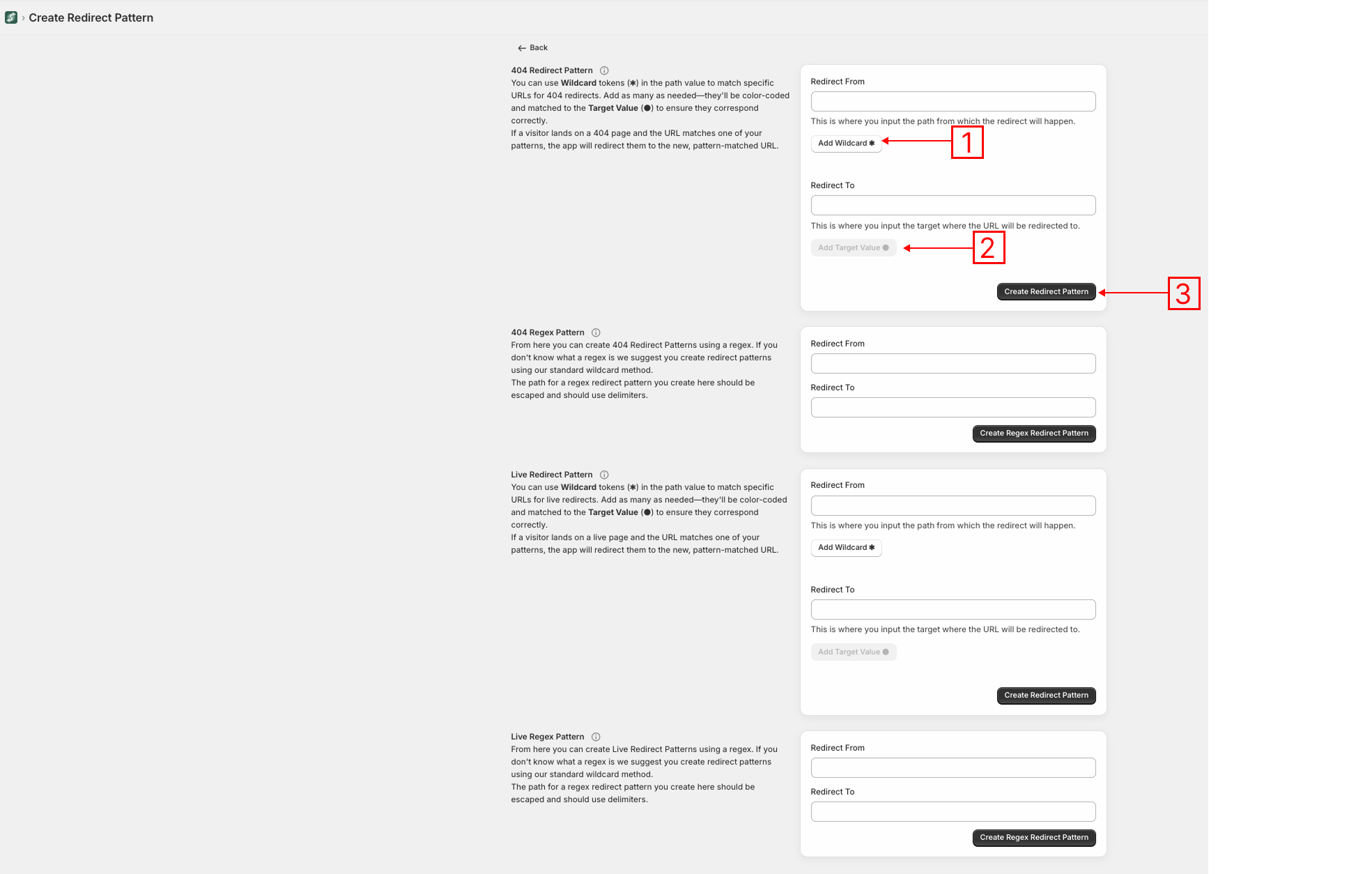
2. In the Redirect Form, enter the old URL structure and insert * where the dynamic/variable part should be.
3. In the Redirect To field, enter where you want your users to land, again using * if you want to carry over the matched part.
4. Click on Create Redirect Pattern.
That’s it!
You’ve just created a redirect pattern that can automatically fix many broken links at once, saving you time and keeping customers on your site.
If you are still having troubles, feel free to contact our friendly support team and they will do it for you.
You can also schedule a meeting with our Product Manager here.
Was this article helpful?
That’s Great!
Thank you for your feedback
Sorry! We couldn't be helpful
Thank you for your feedback
Feedback sent
We appreciate your effort and will try to fix the article