By default, your Back in Stock emails are sent from notifications@shopifybackinstockapp.com
Merchants on the Starter ($20/month), Pro ($45/month), and Enterprise ($200/month) plans can use their own email address for a more professional experience.
Using your own email helps build trust and can improve conversion rates.
Before following these steps, you will need to make sure you have upgraded to one of the mentioned plans. Otherwise, the feature will not be available.
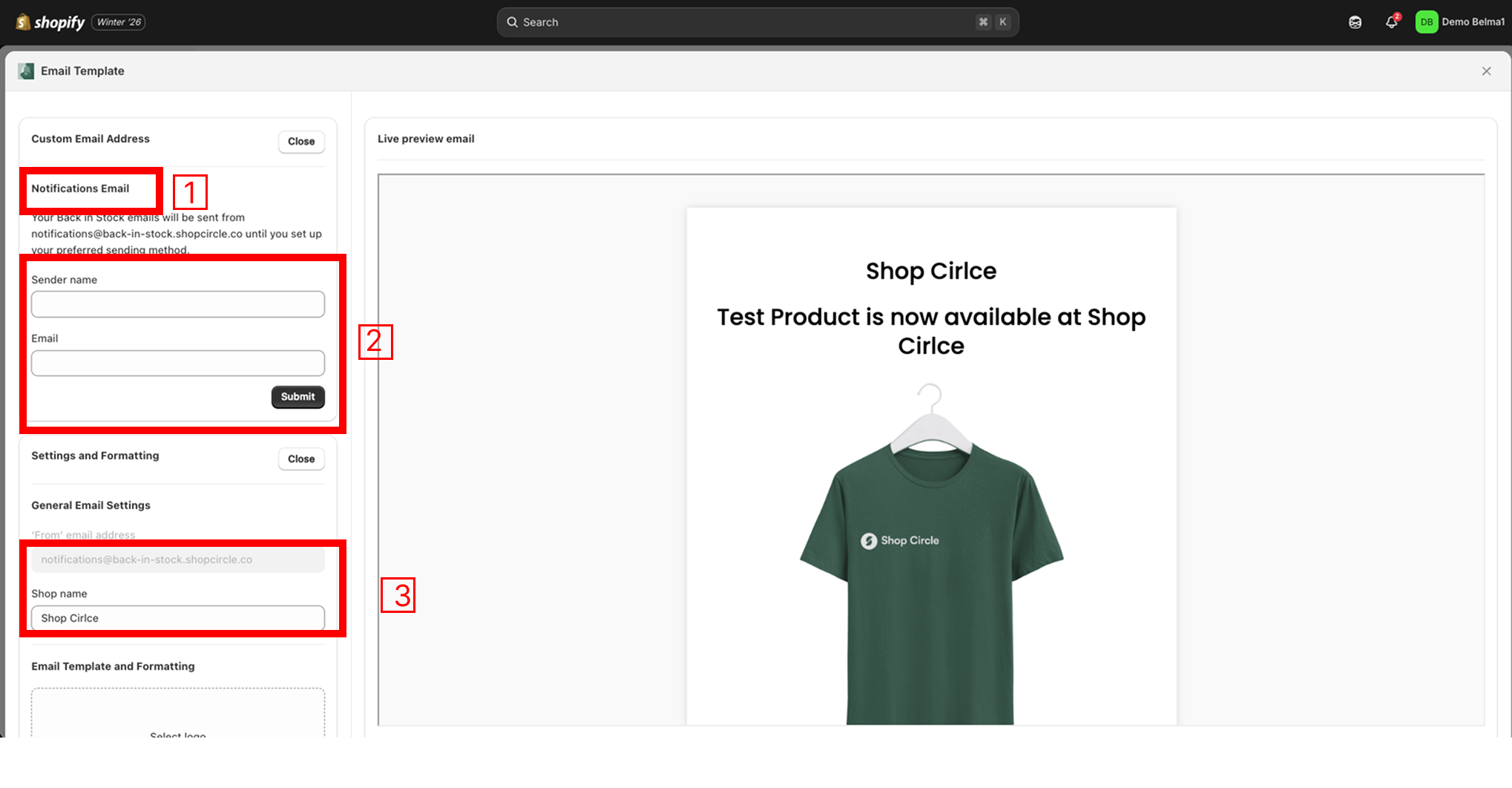
In the Back In Stock app, go to the Design page.
Open the Email template page.
The next step is to enter the Domain you want to integrate and click on the Submit button.
Now, you'll need to verify your domain/SMTP before clicking on the Verify button.
After that, you can enter your desired "From" email address.
Click on Save, and you're done.
Important: Email Verification StepAfter entering your email address and clicking Submit, you will receive a verification email.
- Open the email
- Click the verification link to confirm your email address
Your custom email will not work until this step is completed.
Tip?: Use the responsive email template to increase trust, and engagement with your notifications.
The new responsive email template blows the previous ones out of the water when it comes to professionalism and conversion rate maximisation. It's optimized for all email clients as well as both desktop and mobile viewing. Activate it in your app settings now.
Your customers are far more likely to trust and purchase from restock notifications that are visually appealing and professional-looking on both desktop and mobile.
If you are still having troubles, feel free to contact our friendly support team and they will do it for you.
Was this article helpful?
That’s Great!
Thank you for your feedback
Sorry! We couldn't be helpful
Thank you for your feedback
Feedback sent
We appreciate your effort and will try to fix the article