Easy 404 Fix is a safety net. When a visitor hits a broken link that no other redirect covers, they're sent to a page you choose instead of seeing an error page.
ℹ️ Plan: Available on Pro+.
Turn on Easy 404 Fix
- In the app, go to Redirects → Easy 404 Fix.
- Turn on the Easy 404 Fix toggle.
- In Redirect URL, enter the page visitors should land on, for example
/collections/allor/search. - Save your changes.
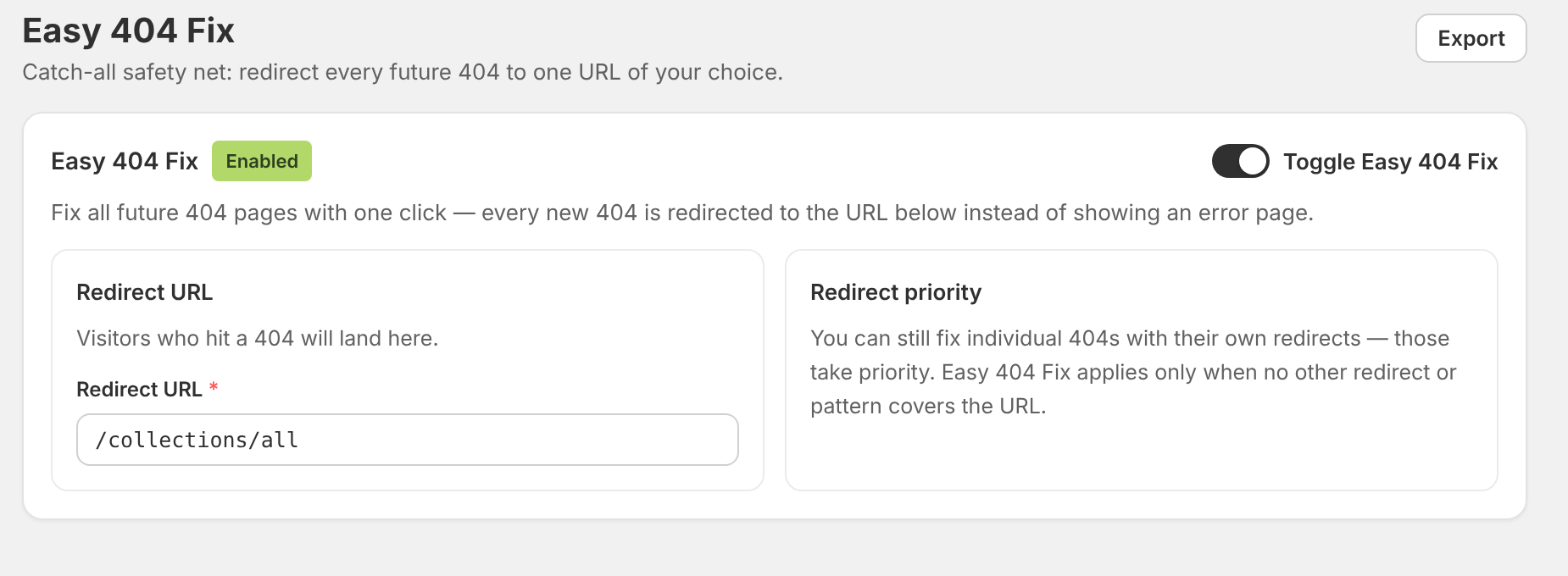
Which page should you choose?
We recommend a page where visitors can keep shopping, such as all products (/collections/all), a main collection or your search page (/search).
⚠️ Avoid sending everything to your homepage. When many unrelated broken links all land on the homepage, Google may treat them as "soft 404s" and keep them out of search results. A relevant page is better for your visitors and for SEO.
How it works with your other redirects
Easy 404 Fix only acts when nothing else covers the broken URL. The order is:
- Your 404 redirects for exact URLs
- Your 404 Patterns
- AI Redirects (Pro+), if turned on.
- Easy 404 Fix, for anything left
So you can keep fixing important URLs one by one. Those always win.
⚠️ Use one catch-all, not two. AI Redirects has its own fallback page (AI Fallback). If you use AI Fallback, turn Easy 404 Fix off, and the other way round.
Good to know
- Easy 404 Fix needs the Easy Redirects app embed to be on in your theme.
Still stuck? Contact our support team and we'll help you. You can also book a call with our Product Manager.
Was this article helpful?
That’s Great!
Thank you for your feedback
Sorry! We couldn't be helpful
Thank you for your feedback
Feedback sent
We appreciate your effort and will try to fix the article