We always recommend that you give your workflow a name to make it easy to identify within your list of Order Tagger workflows.
When creating your workflow, you will see a section on the right-hand side titled New Workflow.
You can enter the name of your workflow at any point whilst customizing your workflow: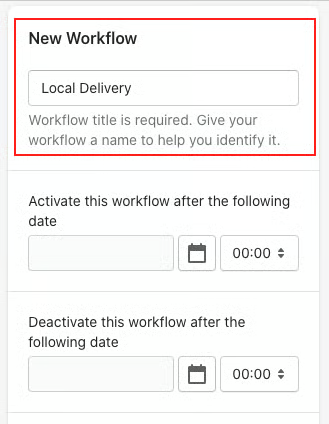
Once you have finished customizing your workflow, save it.
The name of your workflow will appear on each workflow in your list of workflows: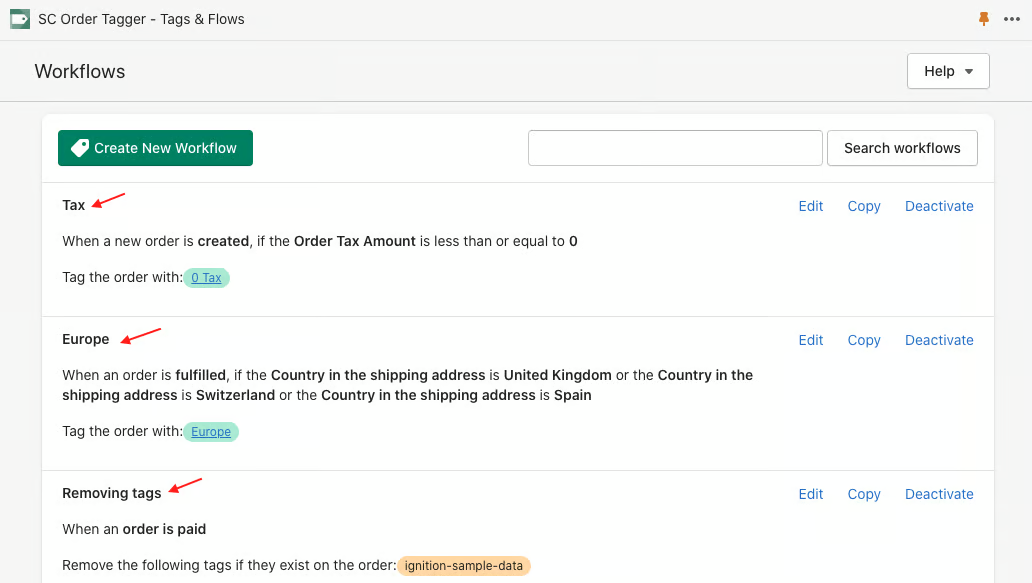
You also add a workflow name to an existing workflow by editing them.
Was this article helpful?
That’s Great!
Thank you for your feedback
Sorry! We couldn't be helpful
Thank you for your feedback
Feedback sent
We appreciate your effort and will try to fix the article