Available to PRO+ users: fix all future 404 pages with Easy 404 Fix. It is a simple way to handle broken pages on your store without any hassle.
What is Easy 404 Fix?
Easy 404 Fix automatically redirects visitors from 404 error pages (pages that don’t exist) to a working page on your store. This keeps customers happy and protects your SEO.
How Does it Work & what are the benefits?
- By default, all 404 pages are redirected to your homepage ("/").
- You can customize the redirect to any page you choose.
- Saves time – no need to fix 404s manually.
- Helps SEO – automatically redirects traffic, so search engines know where your content is.
In short: one click, no broken links, and happier visitors.
How to Enable Easy 404 Fix:
- Open the Easy Redirects app.
- Make sure you are on the PRO+ plan.
- Go to Settings → Easy 404 Fix, and click Enable.
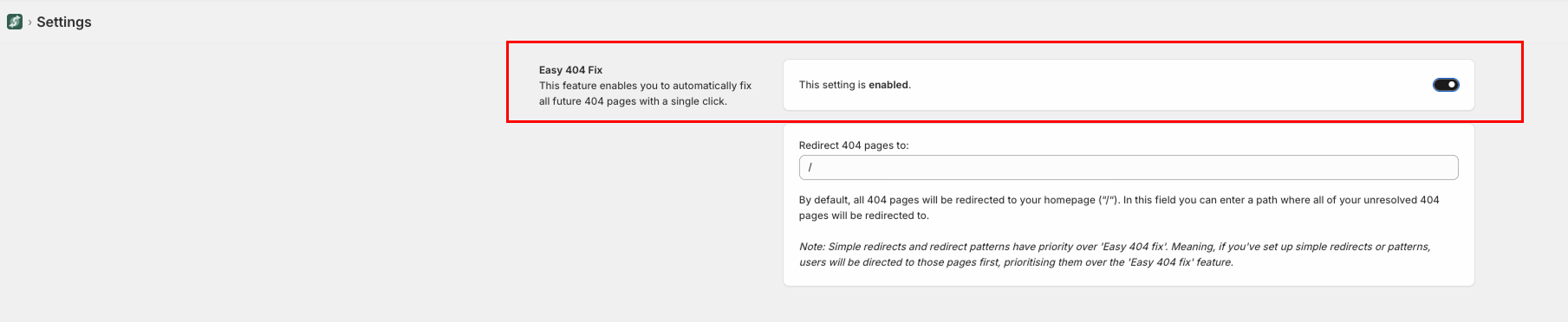
- In the "Redirect 404 pages to" field, enter where you want your broken pages to go (default is your homepage).
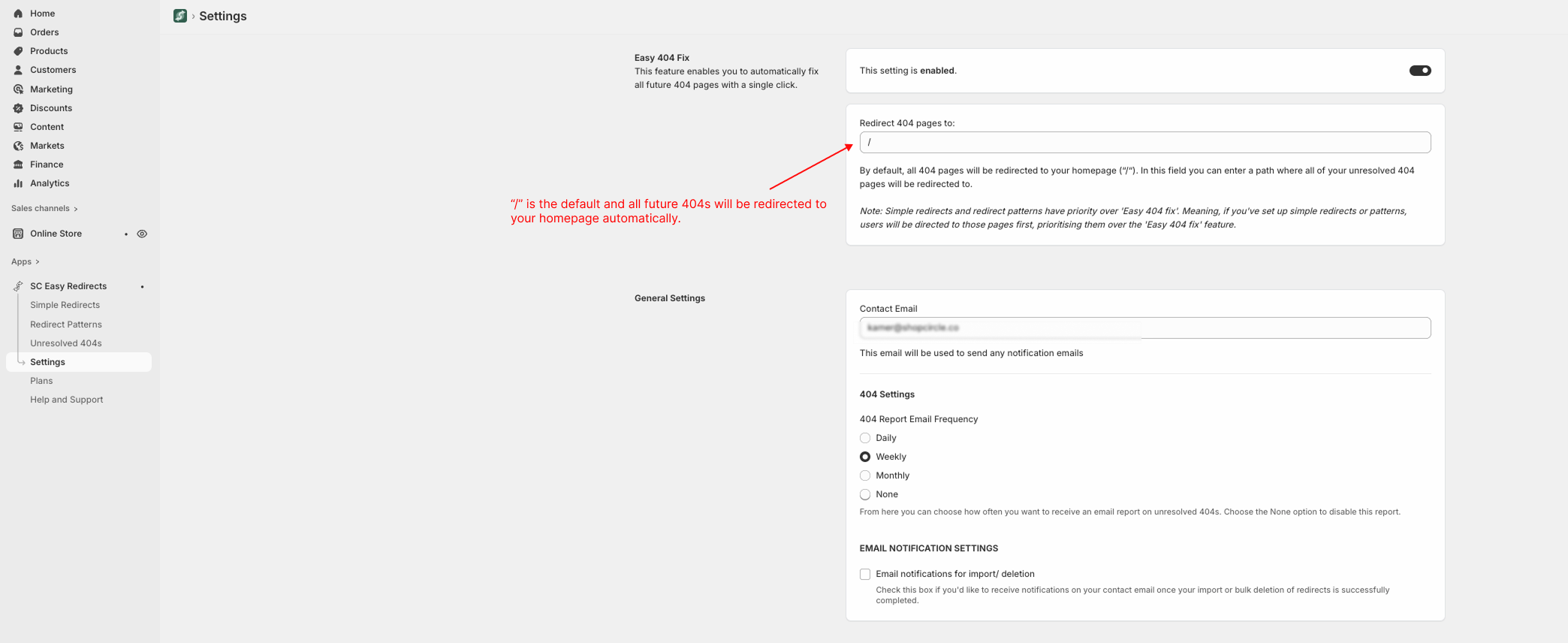
- Click Save - and you're done!
Bottom line:
Easy 404 Fix has been helping PRO+ merchants for over a year to automatically redirect broken links, save time, and maintain a smooth, SEO-friendly store experience.
Was this article helpful?
That’s Great!
Thank you for your feedback
Sorry! We couldn't be helpful
Thank you for your feedback
Feedback sent
We appreciate your effort and will try to fix the article