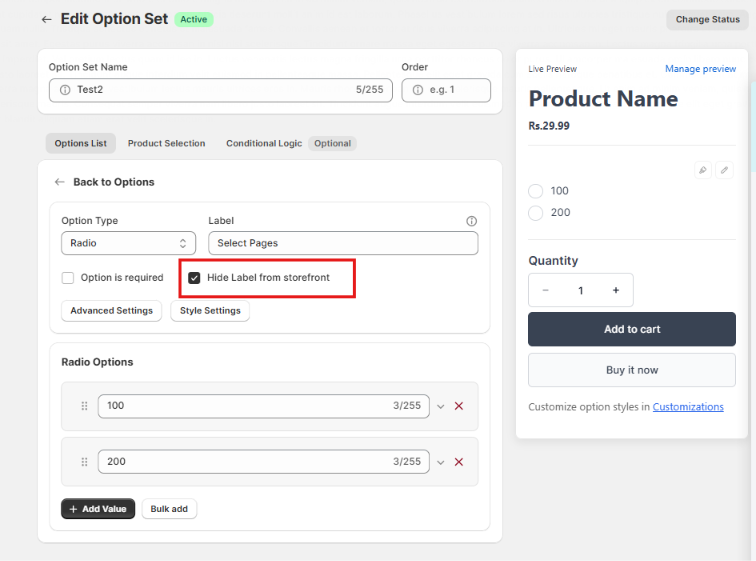
If you enabled "Hide label from storefront" but the option title or label is still visible on your live product page, follow these quick steps to fix it.
Step 1: Confirm Changes Were Saved
Open the Key Product Options app dashboard.
Go to your Option Set, click the specific option, and ensure "Hide label from storefront" is checked.
Click Save in the top contextual bar to commit the settings.
Step 2: Clear Browser Cache or Test in Incognito
Web browsers often cache storefront stylesheets and JavaScript.
Clear your browser cache or open the product page in a Private / Incognito Window to load the newest settings.
Step 3: Verify You Are Testing the Correct Product & Option Set
Confirm that the product page you are viewing is assigned to the exact Option Set you edited.
If you have multiple Option Sets targeting similar products, verify you updated the active one.
Was this article helpful?
That’s Great!
Thank you for your feedback
Sorry! We couldn't be helpful
Thank you for your feedback
Feedback sent
We appreciate your effort and will try to fix the article