The options that Product Options creates are not traditional Shopify variants. Because of this, you need to enable a setting within Product Options before your customers can make edits to their options.
If you have already attempted to enable this setting and it's not working correctly, please follow the steps below.
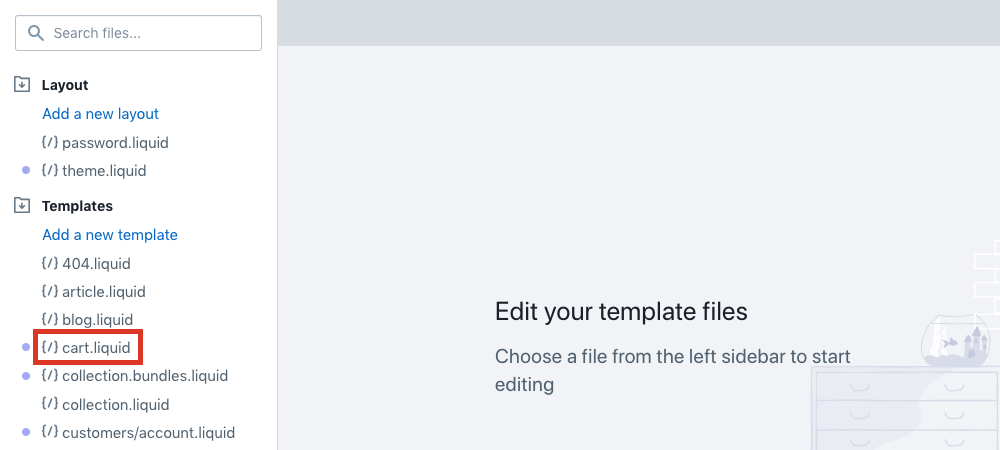
- From the Shopify admin, select Online Store > Actions > Edit code.
- Under Templates, select cart.liquid.
Note: This may be located under Sections in the cart-template.liquid file.
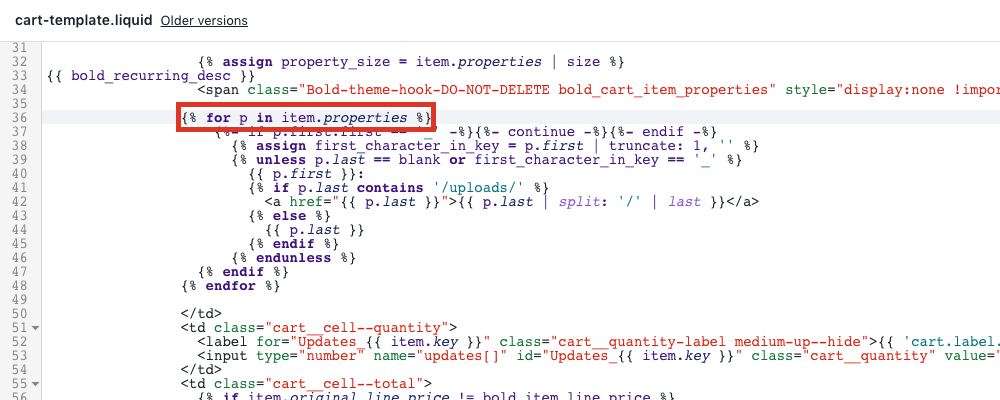
- Find a line of code similar to:
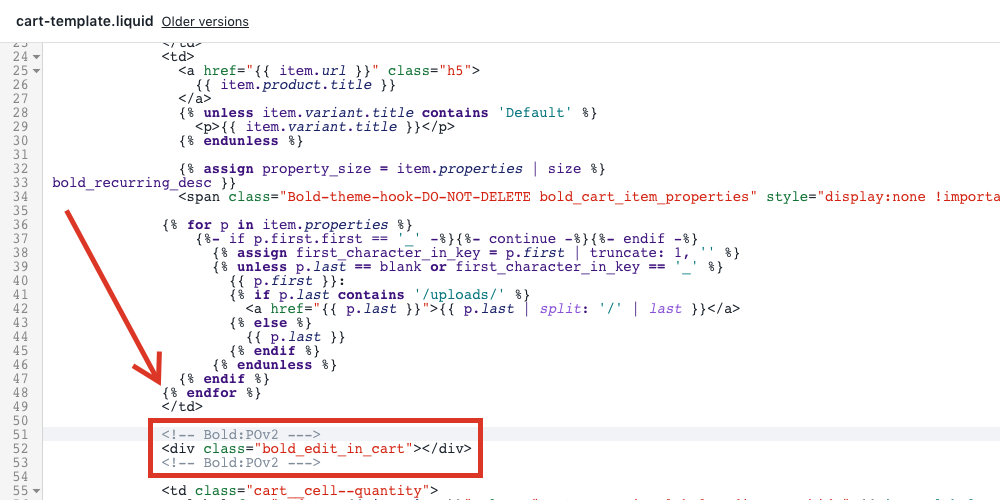
- Copy and paste the following line of code at the end of this code block:
Note: This code block should end with {% endfor %}.
- Select Save.
If you're still unable to edit the options in your cart, please contact our Merchant Success team.
Was this article helpful?
That’s Great!
Thank you for your feedback
Sorry! We couldn't be helpful
Thank you for your feedback
Feedback sent
We appreciate your effort and will try to fix the article