Unresolved 404s shows the broken links that real visitors are hitting on your store right now, with the busiest ones first. Fix one and it becomes a redirect, so the next visitor lands on a working page.
ℹ️ Plan: Available on Pro and above. Pro includes 15 AI recommendations a month. Pro+ adds unlimited AI and Fix all with AI.
How 404s get on the list
A 404 is the "page not found" page a visitor sees when a link points to something that no longer exists, for example a deleted product or an old link in a newsletter. Easy Redirects adds the URL to the list when a visitor lands on it. The list starts empty and builds up over time. If it stays empty, see Why is my Unresolved 404s list empty?
Fix a broken link
- In the app, go to Redirects → Unresolved 404s.
- Find the URL in the New tab. Use Min. hits to show only links that were hit 2 or 5 times or more.
- Check the Redirect To column. If AI has suggested a destination (marked with ✦ and a score), keep it or click the pencil to change it. Otherwise enter the destination yourself.
- Click Fix.
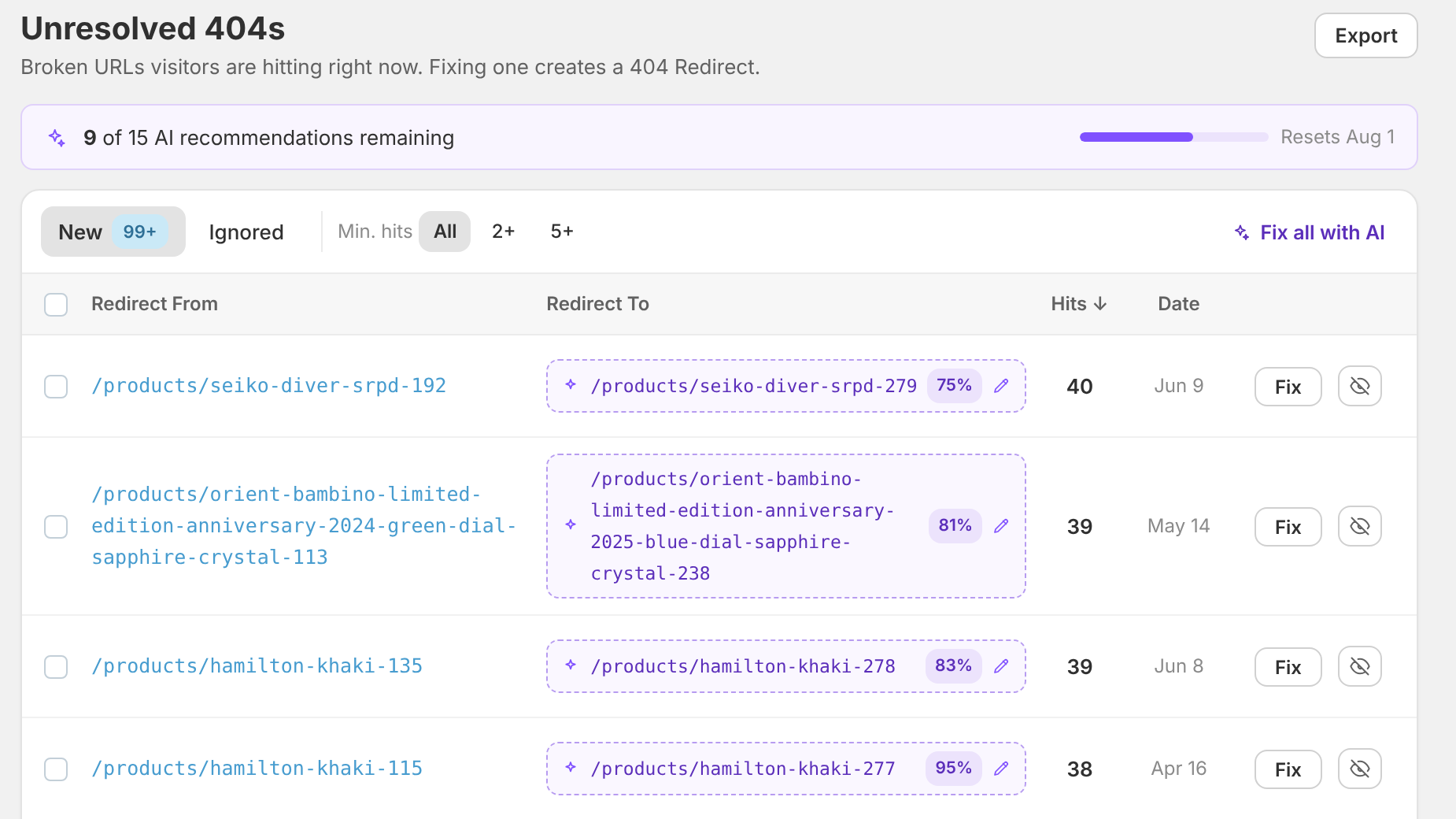
The URL leaves the list and appears in Redirects → 404 Redirects with the tag Fixed 404.
Ignore links that don't matter
Some 404s aren't worth a redirect, such as bots looking for /wp-admin. Click the ignore icon (the crossed-out eye) to move a URL to the Ignored tab. You can bring it back from there at any time.
Fix everything at once
- Fix all with AI (Pro+) lets the AI work through your whole list in the background.
- Export downloads the list, so you can fill in destinations in a spreadsheet and bring them back with Bulk Upload.
Get emailed about new 404s
- In the app, go to Settings → Email & Notifications.
- Enter an email address you check regularly.
- Choose how often you want your 404 report.
Good to know
- The numbers here won't match Google Search Console, which counts what Google's crawler finds instead of what visitors hit.
- For broken links that follow the same structure, one 404 Pattern can fix them all.
- To handle everything automatically, see Set up AI Redirects.
Still stuck? Contact our support team and we'll help you. You can also book a call with our Product Manager.
Was this article helpful?
That’s Great!
Thank you for your feedback
Sorry! We couldn't be helpful
Thank you for your feedback
Feedback sent
We appreciate your effort and will try to fix the article