When Product Options is used to affect the price of a product, it creates separate "hidden products" on your store. The Product Options code installation prevents these from being purchased by your customers unless it's being used as an option in the app.
If you set the visibility to hide these priced options from your Online Store sales channel, these options will show as sold out on the checkout page even if they display properly on the product and cart pages.
- From the Shopify admin, select Products.
- Select the product you are having the issue with.
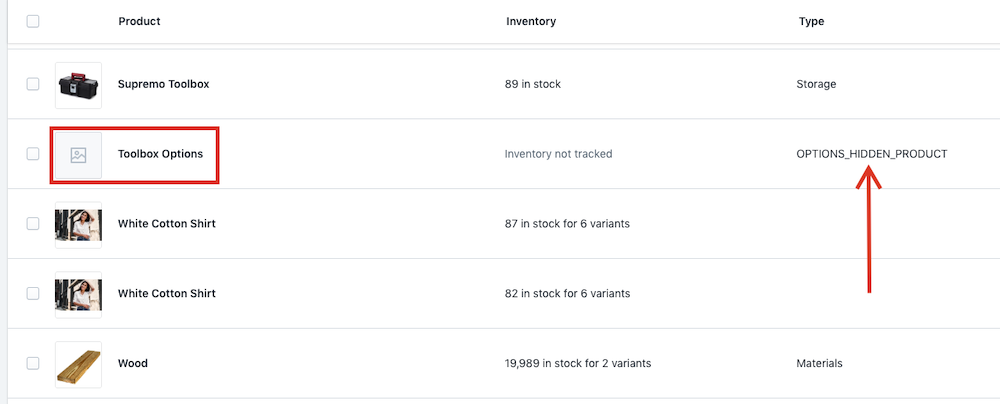
Note: Our hidden items should be noted with OPTIONS_HIDDEN_PRODUCT as the product type.
- Under Visibility, select Manage.
Note: This product should also be tagged with OPTIONS_HIDDEN_PRODUCT.
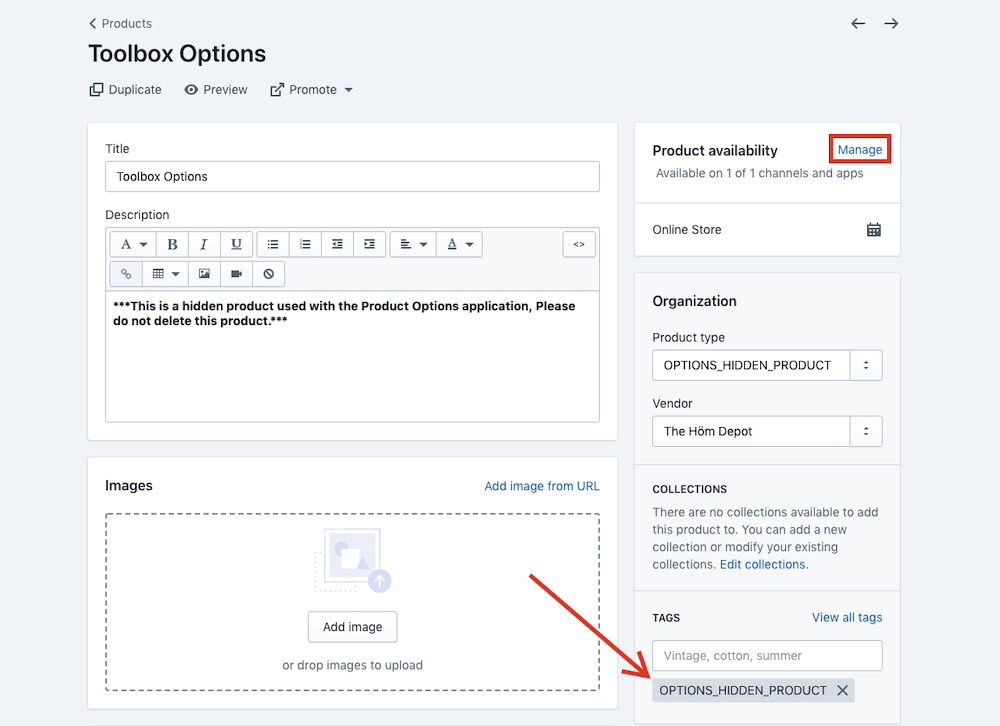
- Select the Online Store checkbox.
- Select Done.
- Select Save.
Was this article helpful?
That’s Great!
Thank you for your feedback
Sorry! We couldn't be helpful
Thank you for your feedback
Feedback sent
We appreciate your effort and will try to fix the article