As you may know, Shopify automatically redirects all subdomain links to the exact same path on your primary domain. We know that doesn't always fit your strategy so we’ve launched the Subdomain Redirect feature to give you full control.
You can now redirect any subdomain to a specific page or URL of your choice, making it perfect for managing regional sites, multi-brand stores, or custom landing pages.
How to set it up:
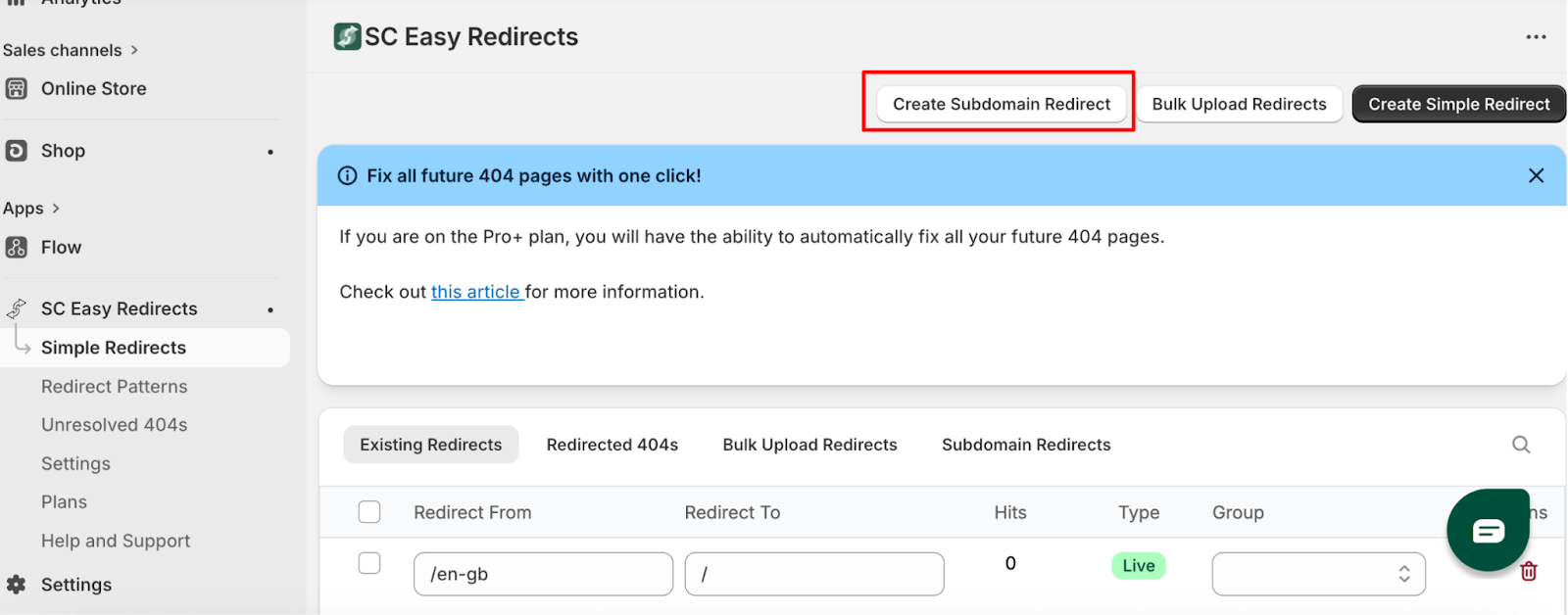
Navigate to the Simple Redirects tab in the app.
Click the Create Subdomain Redirect button at the top of the page.
A setup window will appear:
Domain: Select your desired subdomain from the dropdown menu.
Redirect To: Enter the specific URL where you want visitors to land.
Group (Optional): Assign the redirect to an existing group or create a new one to make it easier to filter or navigate through your redirects.
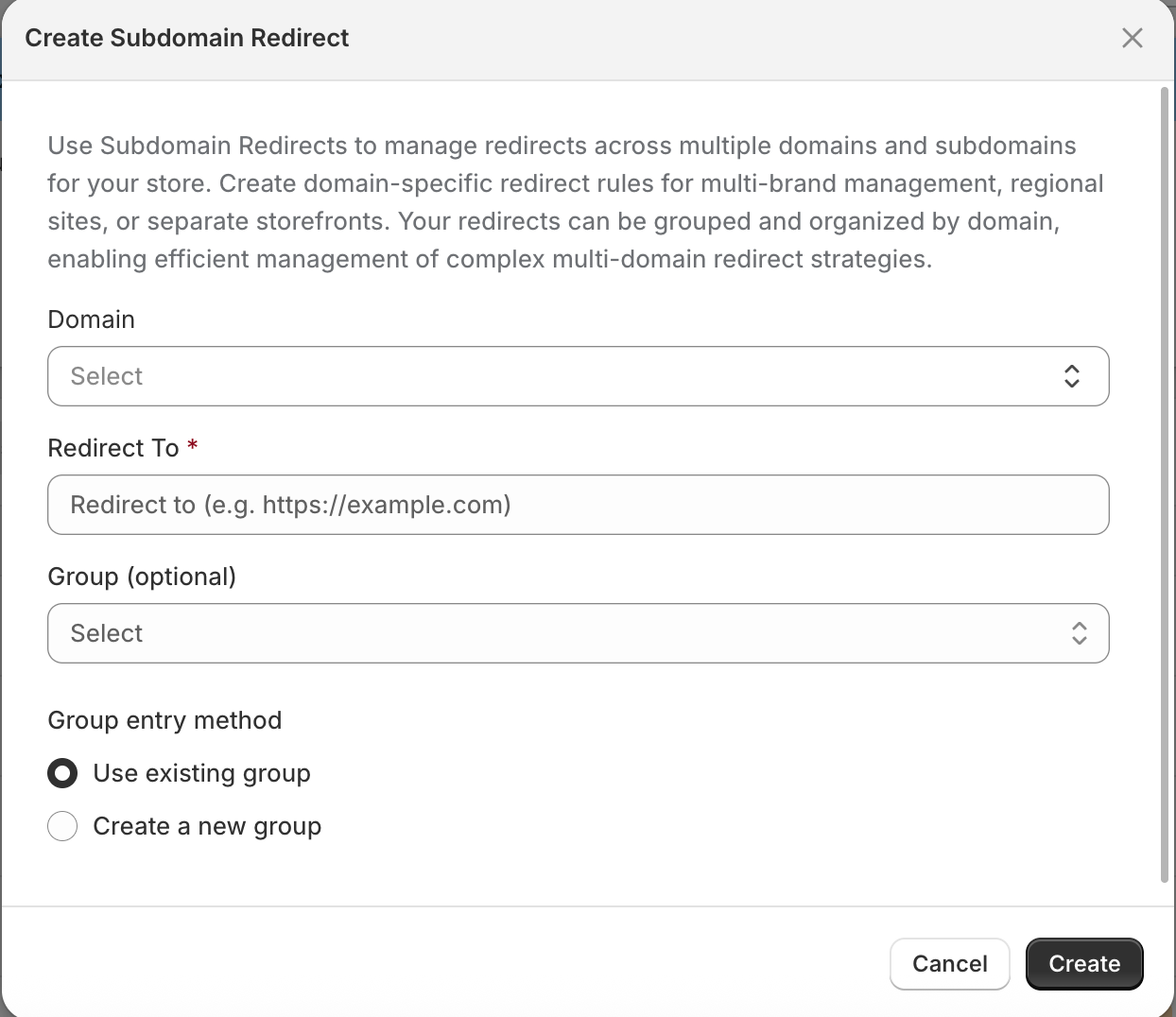
Click Create, and you’re all set!
Your new redirect will appear in your Existing Redirects list, (marked as subdomain redirect) where you can monitor hits, edit the destination, or remove it at any time.
Was this article helpful?
That’s Great!
Thank you for your feedback
Sorry! We couldn't be helpful
Thank you for your feedback
Feedback sent
We appreciate your effort and will try to fix the article